If you have just picked up your first DSLR camera and are feeling a little lost about the sea of dials and buttons, you are not the only one. When I started out with a DSLR, all the settings felt pretty overwhelming. Getting comfortable with your camera’s controls can truly make a big impact on your images, unlocking creative options you never realized you had. I’m going to walk you through the basics, piece by piece, so you get the most out of your DSLR right out of the gate.
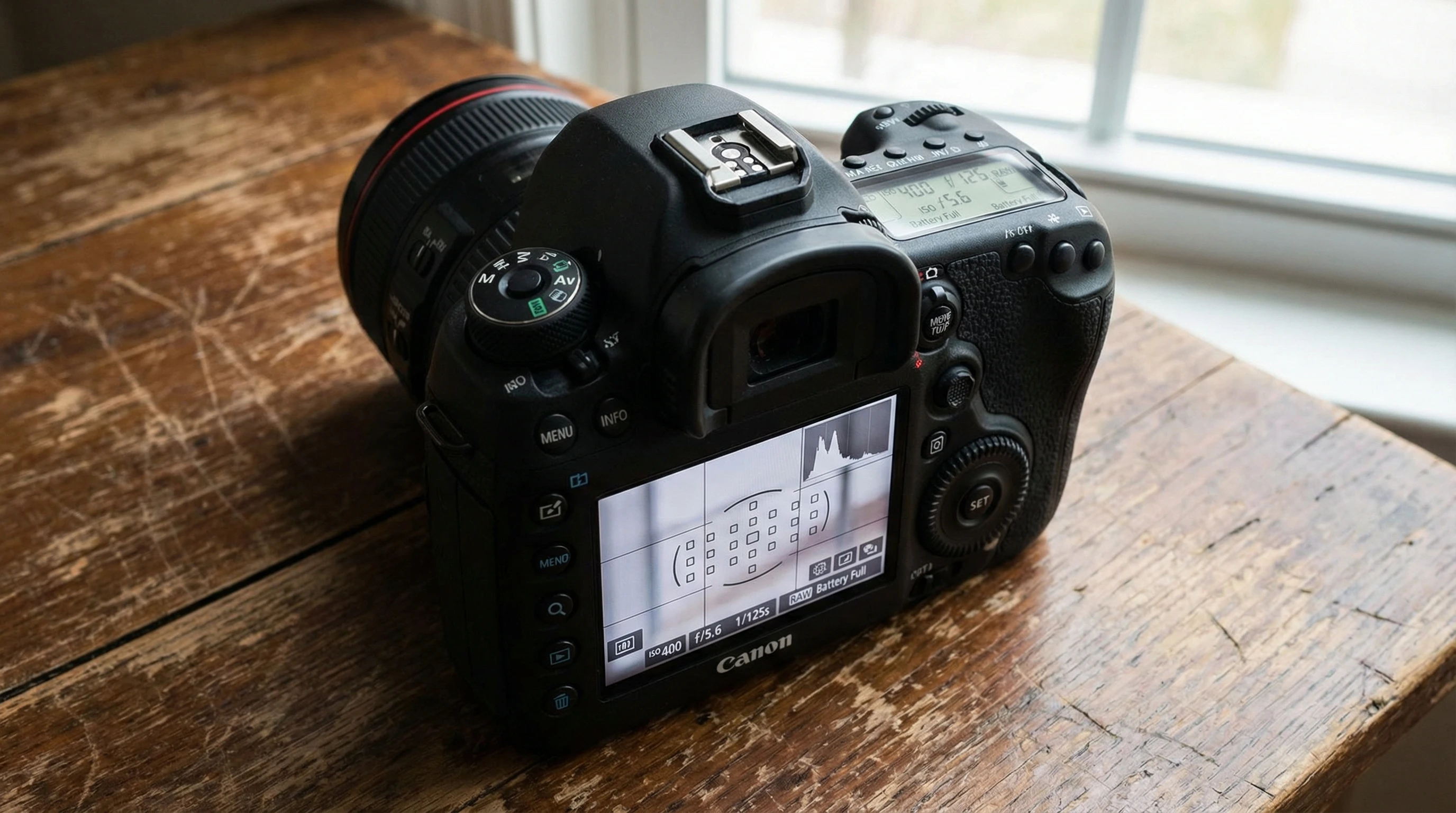
A Quick Introduction to DSLR Camera Settings
DSLR cameras—Digital Single Lens Reflex cameras—offer loads of manual options for shaping your photos. Once you master the main settings, you can move beyond auto mode and start making creative choices for each shot. The main adjustments I wish I’d understood from the start are aperture, shutter speed, ISO, white balance, and focus modes. Each controls a different aspect of how your photo is captured and appears, so knowing what each does really matters.
These cameras have been around since the early 2000s and are a favorite for photographers because they hand over direct control. By getting a solid grasp on these settings, beginners can build confidence while letting their creative ideas run wild.

Getting to Know Your Camera’s Main Controls
Learning to use your DSLR’s controls isn’t just about memorizing terms—it’s about gaining an instinct for how to shape your image. Here are some essential things to remember:
- Aperture: This controls the amount of light entering through your lens. A smaller f-number means a wider opening, which brings in more light and naturally blurs the background.
- Shutter Speed: This is how long the camera’s sensor is exposed to light. Fast shutter speeds freeze movement. Slower speeds can show motion as blur.
- ISO: ISO sets the camera’s sensitivity to light. Use a higher ISO in darker areas, and a lower ISO for bright situations. Be mindful: high ISO can make your images look grainy.
- White Balance: This option makes colors look natural by adjusting for different lighting, so whites look truly white instead of blue or orange.
- Focus Modes: Toggle between autofocus and manual focus. Sometimes, letting the camera pick what’s in focus works best; sometimes, taking charge makes all the difference.
A Step-By-Step Walkthrough: Getting Off Auto Mode
Starting off in auto mode is fine, but to really steer how your shots look, jumping into manual and semi-automatic modes comes in handy. Here is a stepwise approach that helped me as a beginner:
- Get Acquainted with the Mode Dial: This is the main dial featuring options like “Auto,” “M,” “Av,” and “Tv.” Don’t be afraid to experiment. “M” means manual mode, “Av/A” lets you pick the aperture, and “Tv/S” means you choose the shutter speed.
- Begin with Aperture Priority (Av or A): Set the aperture to control background blur, while your camera handles the rest. Wonderful for shots where you want your subject to stand out.
- Test Shutter Priority (Tv or S): Handy for sports or motion scenes, where you need action to be frozen or want to blur movement on purpose, like waterfalls.
- Try Manual Mode: When you feel ready, switch to “M.” You decide aperture, shutter speed, and ISO. This is an excellent hands-on way to see how each affects the final image.
- Review Your Photos: Always check the preview screen and histogram after you shoot to see what worked and what you might change next time.
With some practice, you’ll start to spot which settings fit different lighting and scenarios. Trial and error is a big part of learning and developing your eye.

Common Beginner Hurdles (and How to Get Past Them)
Everyone runs into trouble with new gear. Here’s a rundown of the usual snags and some no-fuss fixes:
- Blurry Photos: This might be from camera shake, missed focus, or having the wrong settings for light. I found a tripod and learning about shutter speed helped me a lot.
- Too Dark or Bright: Your exposure might be off. Adjust the exposure compensation, tweak your ISO, or play with the other settings to bring your photo into balance.
- Strange Color Casts: Whites look blue, yellow, or orange sometimes. White balance can solve this. Set it to “Cloudy,” “Tungsten,” or “Fluorescent” based on the scene, instead of just leaving it on auto.
- Where to Focus: Autofocus often defaults to the center. Learn to manually select your focus point, which helps especially in portraits or closeups.
Aperture, Shutter Speed & ISO – The Triangle
Your DSLR juggles three controls—aperture, shutter speed, and ISO—which work together as the “exposure triangle.” These three combine to create the photo’s brightness and character. Change one, and you’ll usually want to adjust another to balance things out. For example, a wide aperture (lower f-number) captures more light, so you might need a faster shutter speed to avoid overexposing your image. It’s like moving sliders until everything looks right.
Making Sense of White Balance
One time, I took a bunch of outdoor photos and noticed everyone looked slightly blue. My white balance had been set to “Tungsten”—great indoors, but not so much outside. Tailoring white balance to the scene helps make skin tones and skies look the way your eyes saw them.
Autofocus, Continuous Focus, and Manual Focus Modes
For still subjects, I go with single point autofocus. If there’s movement (like kids or pets), continuous focus is reliable. Manual focus is most useful for those difficult scenes, such as shooting through a window or when lighting is really low.

Advanced Features Worth Exploring
Once you’re solid on the essentials, DSLRs have even more cool tricks. Here are a few advanced features you may want to check out:
- Exposure Bracketing: The camera captures several photos at different brightness levels. It’s a lifesaver for scenes with lots of contrast, and you can blend the shots together later.
- Metering Modes: This setting instructs your camera how to measure the light (center-weighted, spot, or evaluative). Switch them up for scenes with tricky lighting.
- RAW Format: Shooting in RAW saves more image data, which makes editing easier and lessens the risk of ruining a great shot.
- Custom Buttons: Many DSLRs let you program specific buttons. For instance, I assigned ISO control to a button I could reach in a flash.
Must-Have Accessories for DSLR Beginners
Accessories are not just about looking professional: some items truly help you learn or take better photos right away. These are a few things I found helpful as a DSLR rookie:
- Memory Cards: Carry extras. Fast cards are best, particularly for action shots or video.
- Tripod: Steadies your camera for low light or group pictures. It saved me lots of blurry photos.
- Lens Cleaning Kit: Clear lenses equal sharper photos. Dust is everywhere, so keeping a cleaning kit on hand is smart.
- Camera Bag: Keeps your camera and lenses safe, and makes hauling your gear much easier.
Common Questions New DSLR Owners Ask
If you’re new to DSLRs, some of these questions probably sound familiar:
How do I pick the right mode?
Try aperture priority (Av/A) for portraits or pictures with dreamy backgrounds, and shutter priority (Tv/S) for action scenes. After more practice, switch to manual mode for full control.
Why are my photos out of focus?
Make sure the right autofocus point is selected. Remember to half-press the shutter button to let the camera focus before you finish the press.
Do I need more than the kit lens?
Your kit lens is a solid starting point. When you’re curious to try new looks, a prime lens for sharpness or a zoom for farther subjects is worth checking out.
Can I stick with auto mode?
Auto is absolutely fine for starting out. When you’re ready, experiment with creative or semi-auto modes to keep progressing. Everyone moves at a different pace—don’t rush it.

Practical DSLR Settings Tips for Beginners
Practicing with your camera’s controls is the secret to building the muscle memory that lets you tweak ISO, aperture, or other settings quickly. I like to experiment in different lighting conditions or before any big event. Comparing the images later helps me see what I did right or where I can grow.
Diving into your camera’s settings isn’t just about the technical stuff; it’s about finding your individual style and getting the power to shape every shot just how you imagined. The more comfortable you get with the controls, the more you’ll want to experiment and create. So keep shooting, be bold, and don’t stress when things don’t work out perfectly—the best learning often comes from the photos you didn’t expect to love.