If you’re new to photography and using basic camera gear, like a simple DSLR, mirrorless, or even a point and shoot, getting good results might seem a bit out of reach at first. The great thing is, you don’t need high end gear to take photos you’re proud to share. With a little know how and your entry level kit, it’s totally possible to snap some really eye catching shots. Here I’m sharing my favorite, straightforward photography tips so you can start getting better photos right away and have fun along the way.
Understanding Your Basic Camera Gear
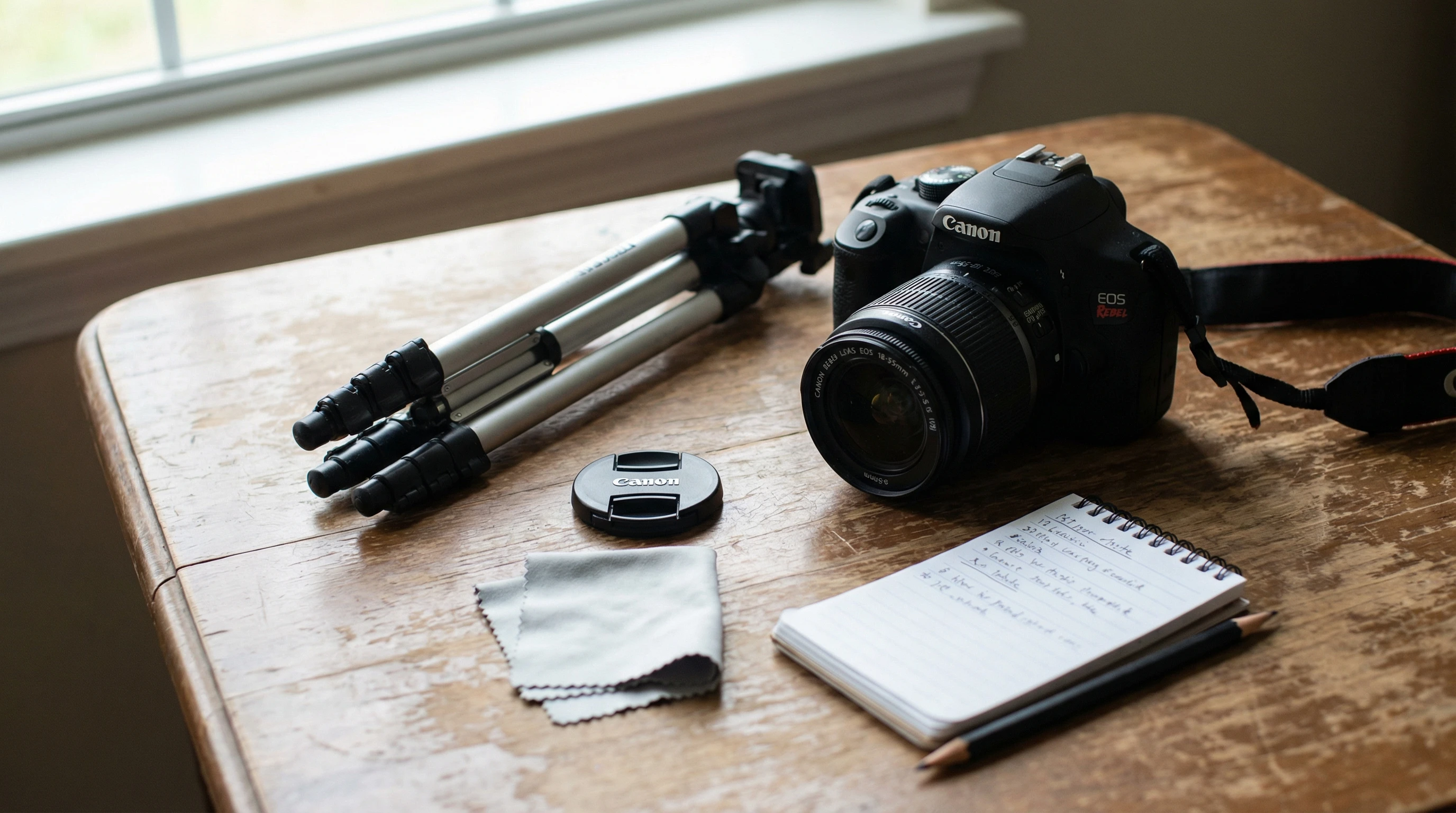
I started out with an entry level camera and a kit lens, and honestly, most beginners do. Getting to know what your camera can and can’t do is a solid first step. Even the simplest gear can deliver great results if you know how to work with it. Most basic cameras include:
- Kit lens (often 18-55mm): Super practical for lots of everyday photography needs.
- Manual and automatic modes: Gives you the option to point and shoot, or try out changing settings yourself.
- Basic zoom capability: Lets you go from wide scenes to closer shots without changing your position.
- Autofocus: Handles sharpness, so you can focus on composition and timing.
Take a little time to flip through the manual. I like to poke around with different buttons to see how they change my photos. You’ll get comfortable with your camera pretty quickly this way. Also, try checking out online video guides or quick tutorials for your camera’s model—it helps make sense of things visually.
First Steps: Setting Up for Success
Jumping into photography is easier if you start with these simple habits:
- Keep your lens clean: Smudges or dust will ruin a sharp photo. I always carry a soft cloth with me for quick wipedowns.
- Charge your battery: A dead camera is no fun. Make sure your battery’s topped up, and a spare is handy if you can get one.
- Use a memory card with plenty of space: You’ll probably take dozens of test shots, so avoid running out of storage mid shoot.
- Check your settings: Even on the most basic gear, double check ISO, mode dial, and make sure you’re not set to timer by accident. I’ve done this before and missed a great shot!
It’s all about making sure your camera is ready to go when you are. If you’re photographing important moments, do a quick checklist before you leave home. That small preparation really pays off.
Easy Photography Tips You Can Use Right Away
When I was starting out, a few beginner friendly tips made a huge improvement in my photos with very little effort. Here are some tried and true basics:
- Use natural light: Window light or outdoor light, especially right after sunrise or before sunset, always looks nice and soft. You don’t need fancy lights, just pay attention to where light is coming from and how it hits your subject.
- Hold steady or use a tripod: Keep your hands as steady as possible to avoid blur. If you have a cheap tripod, use it for group shots, landscapes, or low light scenes.
- Focus on composition: Practice the “rule of thirds” by placing your subject off center rather than always in the middle. Most cameras let you turn on a grid on the screen to help with this. Framing and angles make a huge difference!
- Avoid zooming in too much: Digital zoom on entry level cameras makes shots look fuzzy. Move closer with your feet instead.
- Take several shots: Don’t rely on getting it right in one click. Experiment with a few versions—different angles, distances, and focus points. Later, you can pick your favorite.
Another tip: Don’t be afraid to experiment with backgrounds. Place your subject in front of a plain wall, textured surface, or colorful backdrop to see how it changes the mood. Mix in some variety as you search for what looks best.
Common Challenges and How to Handle Them
It’s normal to run into a few bumps. Here are some problems I ran into as a beginner, plus what worked for me:
- Photos coming out blurry: Either the camera moved, or the subject moved while the shutter was open. Try to brace your arms, use a tripod, or bump up the shutter speed if you can.
- Overexposed or underexposed images: If photos are too bright or dark, the camera’s automatic settings may be confused by tricky lighting. Try exposure compensation, sometimes marked as +/- on the camera, to adjust brightness to your liking.
- Out of focus shots: Make sure you half press the shutter until the focus locks in before snapping the photo. Most kit lenses are best around the center for sharpness, so let them do their thing there if possible.
- Colors look weird: If your outdoor photos have an odd color, like too blue or too orange, check the camera’s white balance setting. Set it to Auto, or match it to your lighting, such as daylight or shade.
Photos don’t always look perfect straight out of the camera. Don’t stress; editing can help, and getting familiar with these settings adds up over time, so stick with it.
Learning Basic Camera Settings
Your camera probably has a mix of auto and manual settings. I like to experiment with a few manual options to see what changes. Here’s what I quickly got the hang of and what helped me:
- ISO: This controls how sensitive your camera is to light. Lower ISO (100–400) is great for sunny days. Higher ISO helps at night, but can make photos grainy.
- Aperture (f number): Lower numbers (like f/3.5) blur the background, which is awesome for portraits. Higher numbers (like f/11) keep more of the scene sharp for landscapes.
- Shutter speed: Faster shutter speeds freeze action, like a pet running. Slower ones blur motion, which is cool for waterfalls or nighttime scenes with lights.
Auto mode is always there if you want it, but playing with these settings helps you learn why photos turn out the way they do. As you grow more confident, try manual mode for full creative control—don’t stress about mastering it overnight.
Post Processing Basics: Improving Your Photos After Shooting
Editing your photos is totally normal and can make a basic image look way better. Even free apps on your phone let you brighten dark shots, crop tighter, or boost contrast for a punchier look. I use Lightroom Mobile for quick tweaks on my phone and sometimes Google Photos for simple edits. Don’t be afraid to crop photos for better composition or try out filters in moderation.
If you find yourself curious about editing on a computer, there’s a ton of free software available for beginners. Simple changes like straightening horizons, cropping out distractions, or adjusting warmth can give a boost to your photos with minimal effort.
Fun Photography Ideas for Practice
Photographing different things helps you learn faster. Here are some easy ideas when starting out with basic gear:
- Nature walks: Snap flowers, trees, or water reflections. Natural light is your best friend here, especially in the early morning or late afternoon.
- Everyday objects at home: Find interesting light and shadows on cups, books, or plants. Try rearranging items for a quick still life setup—all you need is a window and some creativity.
- Pets: Try to catch them in action, playing or curled up in a sunbeam. Use a fast shutter speed to freeze motion if they’re moving around a lot.
- Cityscapes: Practice at golden hour or nighttime for cool streetlight effects. Experiment with reflections in puddles and window glass to make your city shots stand out.
Swapping between different subjects is one of the best ways to learn what styles you enjoy most. Try giving yourself a fun challenge, like only shooting things that are red for a day or documenting your morning routine in pictures.
Answers to Beginner Camera Questions
How do I avoid blurry indoor shots?
Try to keep the camera steady, and use a higher ISO if the light is low. Try to shoot where there’s plenty of window light if possible. You can even prop your camera on a bookshelf or sturdy surface if you don’t have a tripod.
Should I buy extra lenses?
If starting out, stick with your kit lens first. Once you learn its strengths and limits, think about getting a low cost 50mm “prime” lens for portraits or a longer zoom if you love wildlife or sports. Don’t rush—make sure your new lens matches the kind of photos you want to take most.
What camera setting works best for beginners?
Auto mode is totally fine at first. Program mode (P) lets you start dabbling in manual options but still keeps things simple. Scene modes, like “portrait” or “landscape,” work by choosing the right settings for the type of shot you want. With time, moving to aperture priority or manual mode gives you more control when you’re ready.
Is post processing cheating?
Not at all. Most pros edit their photos, adjusting exposure, contrast, and crop. Editing just helps bring your vision out, especially with entry level gear that sometimes struggles in tricky lighting. It’s like polishing your photos to match your creative vision.
Putting It All Together: Enjoy the Process
The most important thing with beginner photography, and I learned this the hard way, is to just keep shooting. No picture will be perfect right away. But every photo teaches you something new, whether it’s about light, timing, or what makes a photo feel interesting. I keep a folder on my phone of early attempts, and it’s fun to see how much progress happens even after just a few months.
Using basic camera gear is less about fancy tech and more about learning to see. Keep experimenting, try new angles, and enjoy every click—the skills naturally follow. Whether you stick to landscapes or portraits, the key is to have fun and keep clicking. Happy shooting!